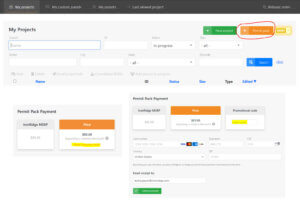
Please enter a project name. Then select
a module manufacturer and a module model.
To set up a subarray, first select the number of Modules (E-W) you are mounting in the first row. For each row in the subarray with the same number of Modules enter that number under the Rows heading. For example, if your site requires 4 rows of 10 panels each, then enter "10" under "Columns" and "4" under "Rows". Next, select the orientation of the Modules (either Portrait or Landscape). To add a new subarray, simply click the "Add New Subarray" button at the bottom left corner.
Note: This configurator is for quotation purposes only and may not be used to determine physical layouts. If you have additional questions, please contact IronRidge Sales at sales@ironridge.com.
Exposure B: Urban and suburban areas, wooded areas, or other terrain with numerous closely spaced obstructions having the size of single family dwellings.
Exposure C: Open terrain with scattered obstructions having heights generally less than 30 feet. This category includes flat open country, grasslands, and all water surfaces in hurricane prone regions.
Exposure D: Flat, unobstructed areas and water surfaces outside hurricane prone regions. This category includes smooth mud flats, salt flats, and unbroken ice.
*Confirm the Wind Exposure Category by consulting your local building authorities.
Determine the wind speed by consulting your local building authorities. (3 second gust)
Determine the snow load by consulting your local building authorities.
The desired distance between attachments. This number should be less than the maximum span values shown under the Engineering Information table. Typically for residential installations, the attachment spacing will be 4' to 6', whereas for commercial buildings, the spacing can be as much as 8' to 12'.
As always, IronRidge recommends that you consult with a local structural engineer to make sure that the building can support the desired attachment spacing.
Occupancy Category is a category used to determine structural requirements based on occupancy which can range from I to IV. The categories are used to classify buildings and other structures based on occupancy level and nature of use.
Occupancy Category I buildings represent a low hazard to life in the event of failure, while Occupancy Category IV buildings are considered essential facilities. Occupancy categories differ between building codes, so it is important to make sure and specify which building code is assigned to your project.
Our software currently supports Occupancy Category I and II. For building structures of category III and IV, please contact IronRidge Sales at sales@ironridge.com. Please refer to table below for a more detailed definition:
|
Occupancy
Category |
Nature of Occupancy |
|---|---|
| I. | Building and other structures that represent a low hazard to human life in the event of failure, including agricultural, temporary, and minor storage facilities |
| II. | All other structures that aren’t in categories I, III, or IV |
| III. |
Building and other structures that represent a substantial hazard to human life in the event of failure including:
|
| IV. |
Building and other structures designated as essential facilities, including:
|
Enter the desired tilt angle of the modules relative to the ground. Many roofs have a slight pitch, and our software will take this pitch into account when calculating the desired tilt angle.
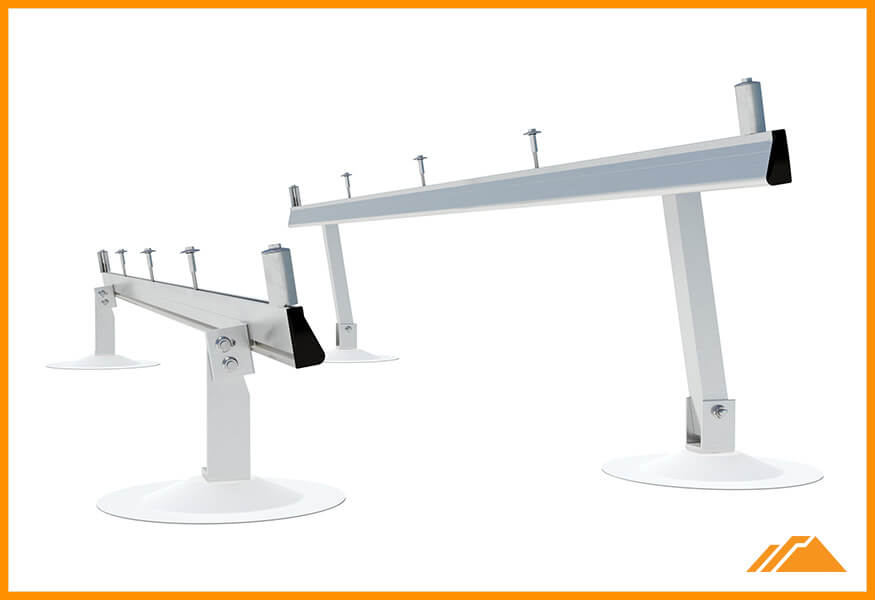
Depending on how far from the edges the rails are mounted, the selected tilt leg will have a range of tilt angles that can be supported.
When the rails are mounted at the very edge of the module, the tilt angle will be at its minimum. When the rails are each attached 15% of the module length from the edges, the tilt angle will be at its maximum.
The engineering information below is calculated based on the Load Conditions and Building Details.
Note that the engineering data can vary considerably between the different Roof Zones. For more information on how to determine the Roof Zone, please refer to the diagram below:
Maximum compression, perpendicular to the roof slope, acting on a roof at the point of attachment due to the portion of snow load, wind load, module weights and racking weights supported by a specific attachment.
If the Attachment Spacing is reduced to a value smaller than the Max Span, then this value will be scaled down proportionally.
Maximum tension, perpendicular to the roof slope, acting on a roof at the point of attachment due to the portion of snow load, wind load, module weights and racking weights supported by a specific attachment.
If the Attachment Spacing is reduced to a value smaller than the Max Span, then this value will be scaled down proportionally.
Average force, parallel to the roof slope, acting on a roof attachment due to the snow load, module weights and racking weights.
If the Attachment Spacing is reduced to a value smaller than the Max Span, then this value will be scaled down proportionally.
Maximum compression, perpendicular to the roof slope, acting at the point of attachment to the roof of a tilt leg due to the portion of snow load, wind load, module weights, and racking weights supported by that attachment.
Maximum tension, perpendicular to the roof slope, acting at the point of attachment to the roof of a tilt leg due to the portion of wind load supported by that attachment under the maximum 3 second gust.
The allowable compression the selected standoff can support at the desired tilt angle. If this force is less than the Max Downforce at Tilt Leg, the installer should reduce the attachment spacing or, if possible, select a shorter standoff size.
The allowable tension the selected standoff can support at the desired tilt angle. If this force is less than the Max Uplift at Tilt Leg, the installer should reduce the attachment spacing or, if possible, select a shorter standoff size.
Total weight of the system including racking and panels
Total weight of the system divided by the total number of attachment points on the roof
Total weight of the system divided by the total covered area on the roof
The below table provides you with the estimated length/quantity for each of the key components by subarray.
The exact length of rail required to fully support the specified number of Panels in each row.
The rail lengths recommended to be the most optimal rail lengths for each row. Our software algorithm automatically takes into consideration the available rail lengths while minimizing the number of splices and extra rail.
The number of attachments required based on the attachment spacing that was entered on the Engineering tab. The higher the attachment spacing, the fewer the number of required attachments.
The T-Bolts may be placed anywhere along the rail without having to slide the bolt from the end of the rail. Simply place into the slot where needed and rotate 90 degrees into place.
These Wire Clips provide a quick and easy way to manage your PV cables. Simply click into the top rail slot, insert wires and lock into place.
Put the finishing touches on the ends of your rails. These End Caps easily press on to the ends of the rails providing a finished look and keep the inside of the rail free of dirt, debris and insects.
The WEEB Lug consists of a WEEB (Washer, Electrical Equipment Bond), lay-in lug, and hardware. It is used with one solid or stranded copper wire (6AWG to 14AWG), or two copper wires (10AWG to 12AWG) to provide a continuous ground on roof or ground mounted solar systems.
Orientation is defined as how the rails run relative to the module, not the roof.
Number of modules running along the rail (regardless of module orientation).
Number of rows (or repeats) of these designated columns.